
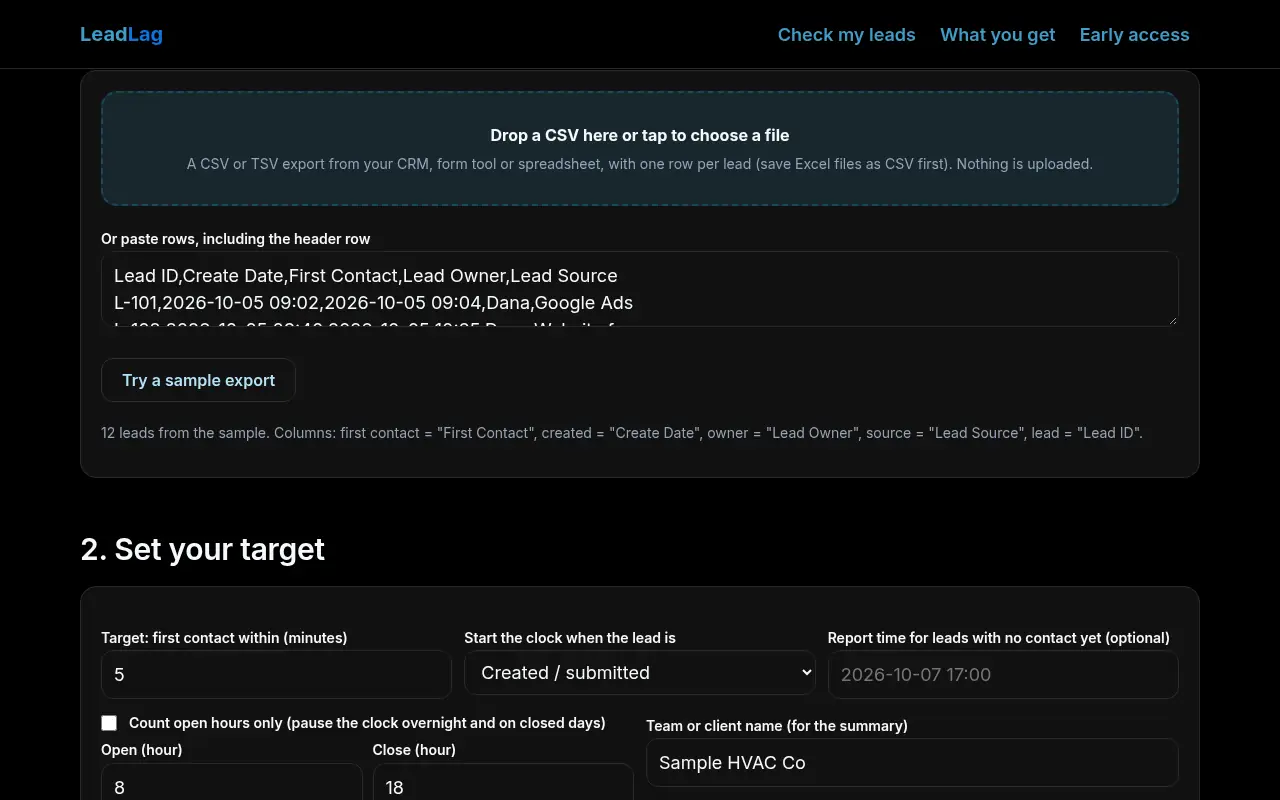
1. Add your lead export
2. Set your target
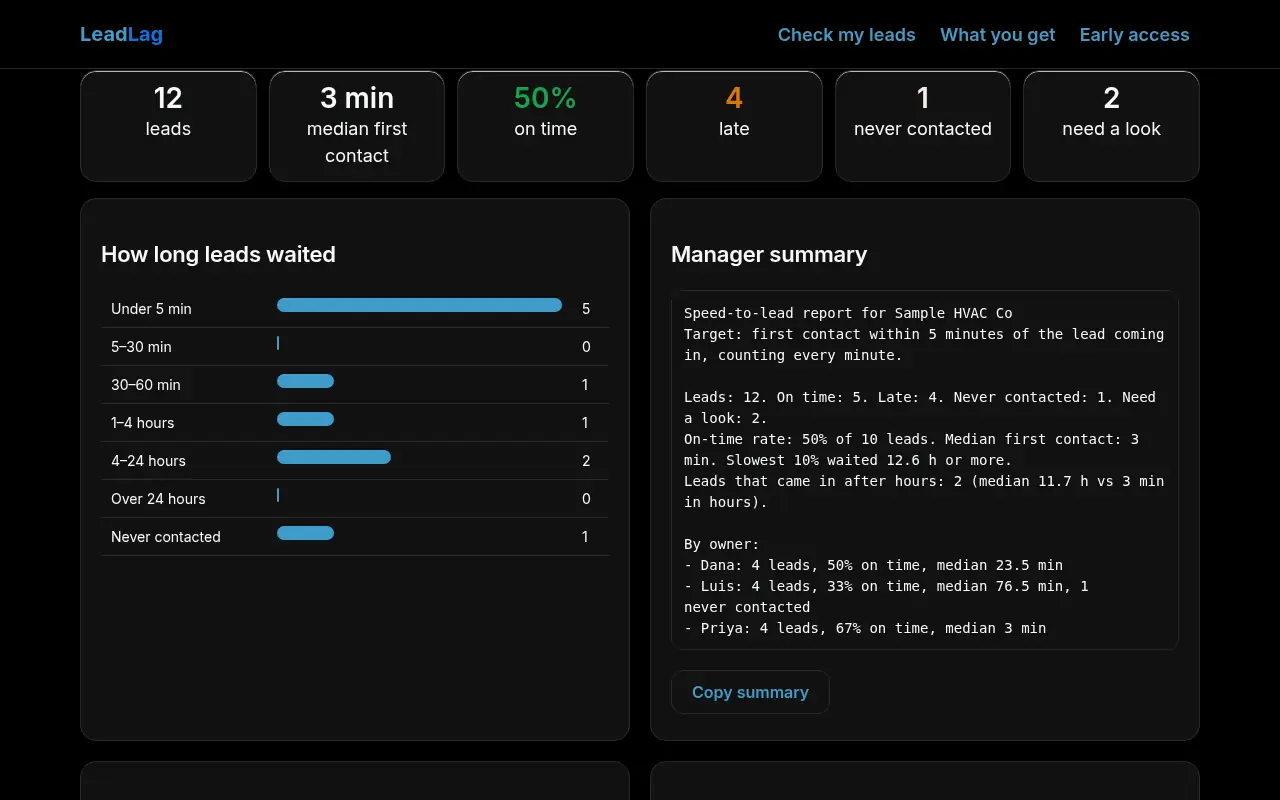
3. Results
How long leads waited
Manager summary
By owner / rep
By lead source
Every lead, with its reason
How it measures
The clock
Response time is the first logged contact (call, email, text) minus the time the lead was created, or assigned if you pick that and your export has it. Turn on open hours and the clock pauses overnight and on closed days, so a lead at 9 PM called at 8:05 AM counts as 5 minutes.
The verdicts
On time: inside your target. Late: contacted, but after it. Never contacted: no first-contact time. Need a look: blank or unreadable times, or a first contact logged before the lead existed (usually a time-zone or reused-record problem).
The numbers
The headline is the median, not the average, because a few leads left over the weekend would swamp an average. On-time rate counts on-time leads out of all on-time, late and never-contacted leads.
LeadLag reads the timestamps your system exports. If your CRM overwrites the first-contact field on every activity, or logs automated texts as contact, the report inherits that. It does not judge call quality.
See it work
Real screenshots of LeadLag on this page, taken in a headless browser with the built-in sample data. Sample data only; nothing was uploaded.
What you get
LeadLag is free during early access. No card and no sign-up to use the tool on this page. Join the waitlist and we'll email you before anything changes.
In your browser
- Every metric and every reason
- CSV downloads and manager summary
- Proposed limit: 1 export at a time
For teams
- Saved targets and business hours
- Week-over-week trend per rep
- Branded PDF report
For agencies
- Up to 20 client workspaces
- Client-ready monthly report
- Shareable read-only report link
Get early access to saved targets and weekly trends
We'll only email you about LeadLag. No spam, unsubscribe any time.
Prefer email? smurphy@roicpleadgen.com
Questions
Is my lead list uploaded?
No. The file is read and measured by JavaScript in this page. Only the waitlist form sends anything, and it sends only what you type into it.
Which exports does it read?
Any CSV or TSV with a created time and a first-contact time per lead. It recognises common header names (for example "Create Date", "First Contact", "Date of first engagement", "Lead Owner", "Lead Source") and skips title and total rows. Tested on sample files, not on every CRM's export yet.
My CRM has no first-contact column.
Many CRMs can add one with a workflow that stamps the time of the first call, email or text once. Until then, any column with the first outbound activity time works.